NodeJS (18.x LTS)
MultiGPT requires the latest stable version of NodeJS that is currently 18.x (LTS).
You must have NodeJS installed in order to work with MultiGPT react template. You can follow the following tutorial to install NodeJS on your device.
Installing NodeJS
Windows or MacOS
If you are already a Windows or MacOS user then congratulations. NodeJS have easy installers for you. To continue your installation please go to their official download page. Now select the proper installer depending on your device for Nodejs installation.
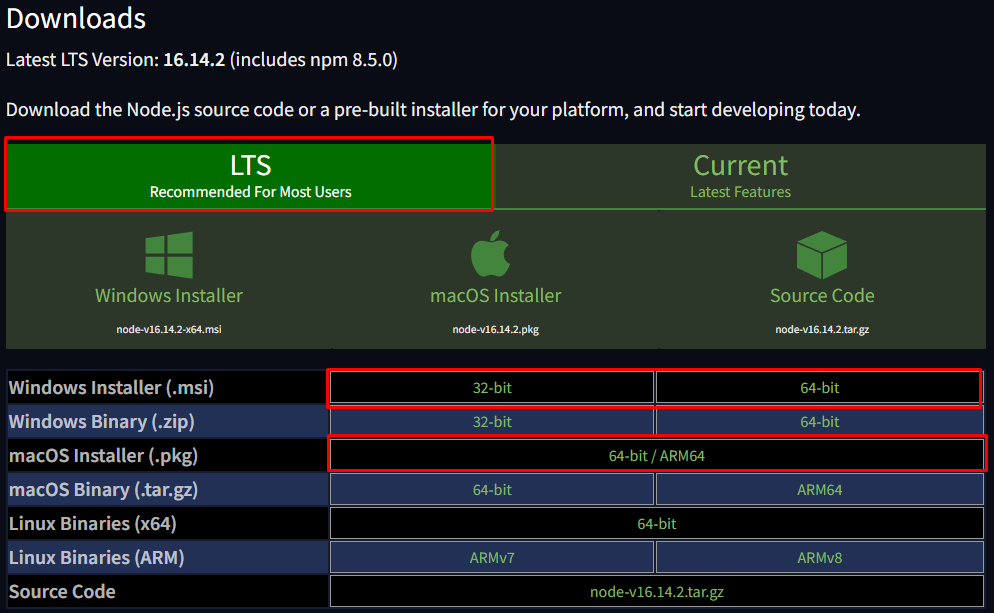
Once you have already downloaded the installer run the installer to install NodeJS on your device
Linux
- Debian
- Ubuntu
- Others
sudo su
curl -fsSL https://deb.nodesource.com/setup_18.x | bash -
apt-get install -y nodejs
curl -fsSL https://deb.nodesource.com/setup_18.x | sudo -E bash -
sudo apt-get install -y nodejsVerifying Installation
In order to verify that NodeJS is successfully installed on your device please run the following command on your device's terminal.
NodeJS Version:
node -v
# or
node --version
v18.14.2
NPM Version:
npm -v
# or
npm --version
9.6.1
Installing Yarn
We have used Yarn in our MultiGPT. So will need to have yarn installed on your device. If you don't yet have yarn installed you can use this command to install yarn.
npm i -g yarn@latest
On windows if you install yarn like this you need to use CMD to use yarn you can't use the yarn on PowerShell.
Verify Yarn Version
yarn -v
1.22.19
If you get a valid output then congratulations NodeJS, NPM and Yarn are successfully installed on your device. Now we can move on the next requirements Code Editor